WP-ImmoMakler 5.63 – Cancellation Form, Divi 5, and Other Improvements

With WP-ImmoMakler Version 5.63, we’re introducing three major new features: The cancellation form for real estate agents has been simplified based on your feedback and now includes a freely configurable button label. Divi 5 users can now take advantage of native modules directly in the Visual Builder. And on unit detail pages, all other units in the same project are now automatically displayed. In addition, there are several improvements to the image gallery, import functionality, and display.

Revised Cancellation Form

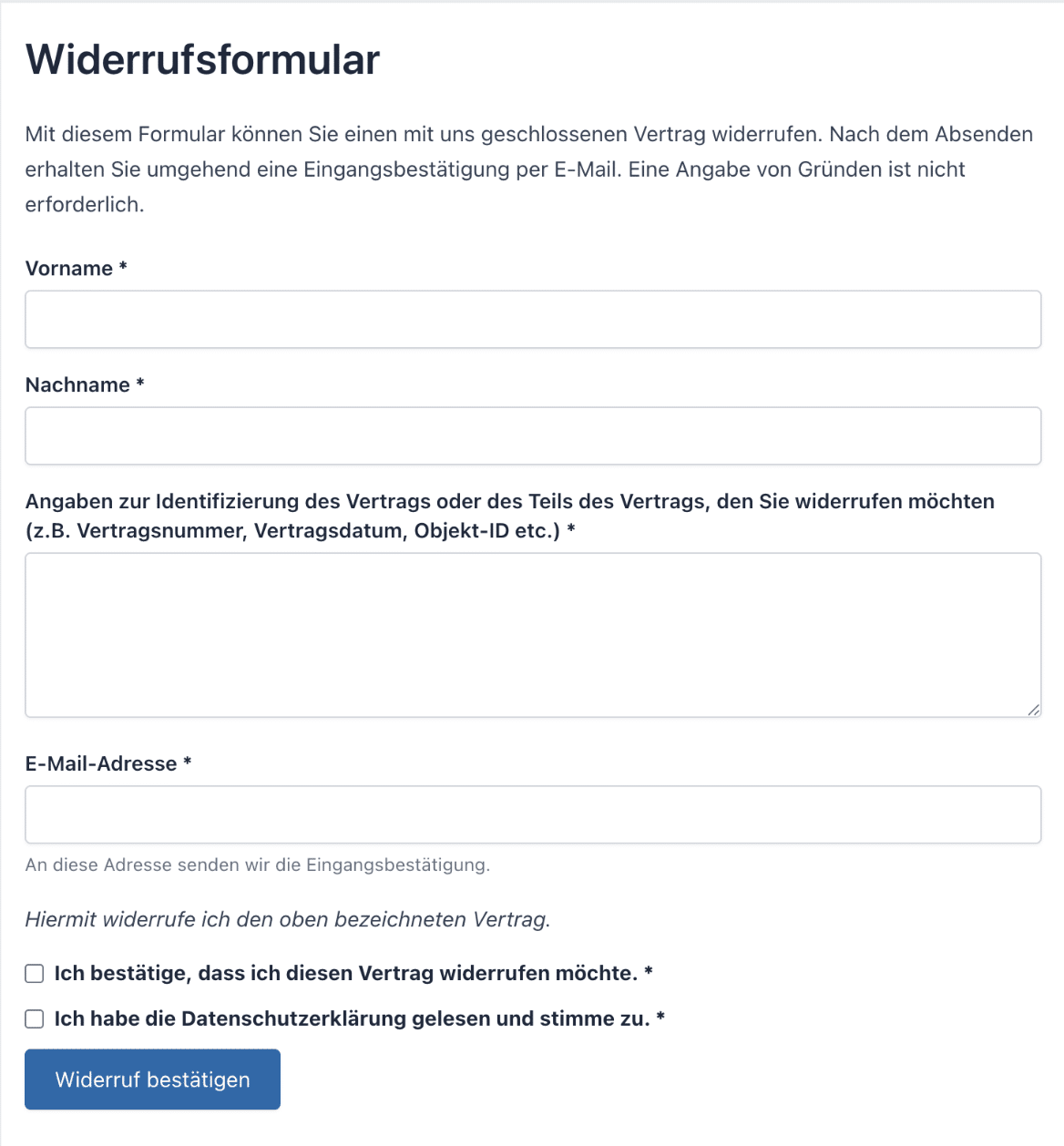
Das Widerrufsformular für Imobilienmakler wurde auf Basis des Nutzerfeedbacks zum Update auf WP-ImmoMakler Version 5.62 grundlegend vereinfacht. Es enthält jetzt nur noch die für einen Widerruf tatsächlich erforderlichen Angaben: Vorname und Nachname, Angaben zur Identifizierung des Vertrags sowie die E-Mail-Adresse. Die bisherige Einstellung einzelner Formularfelder (Pflicht/optional/ausgeblendet) entfällt damit.

Zusätzlich können Sie nun den Text des Absende-Buttons frei festlegen. Die Einstellung finden Sie im Backend unter
WP-ImmoMakler → Einstellungen → Widerrufsbutton.

WP-ImmoMakler Demo Image Settings: Cancellation Form for Real Estate Agents - Backend Settings
WP-ImmoMakler Demo Image Settings: Cancellation Form for Real Estate Agents

⚠️ Legal Notice: WP-ImmoMakler provides the technical mechanism and appropriate standard German text. Please consult your legal counsel to determine whether and in what form you are required to provide a cancellation button, as well as the specific wording and instructions.

Divi 5 – Native Modules for the Visual Builder

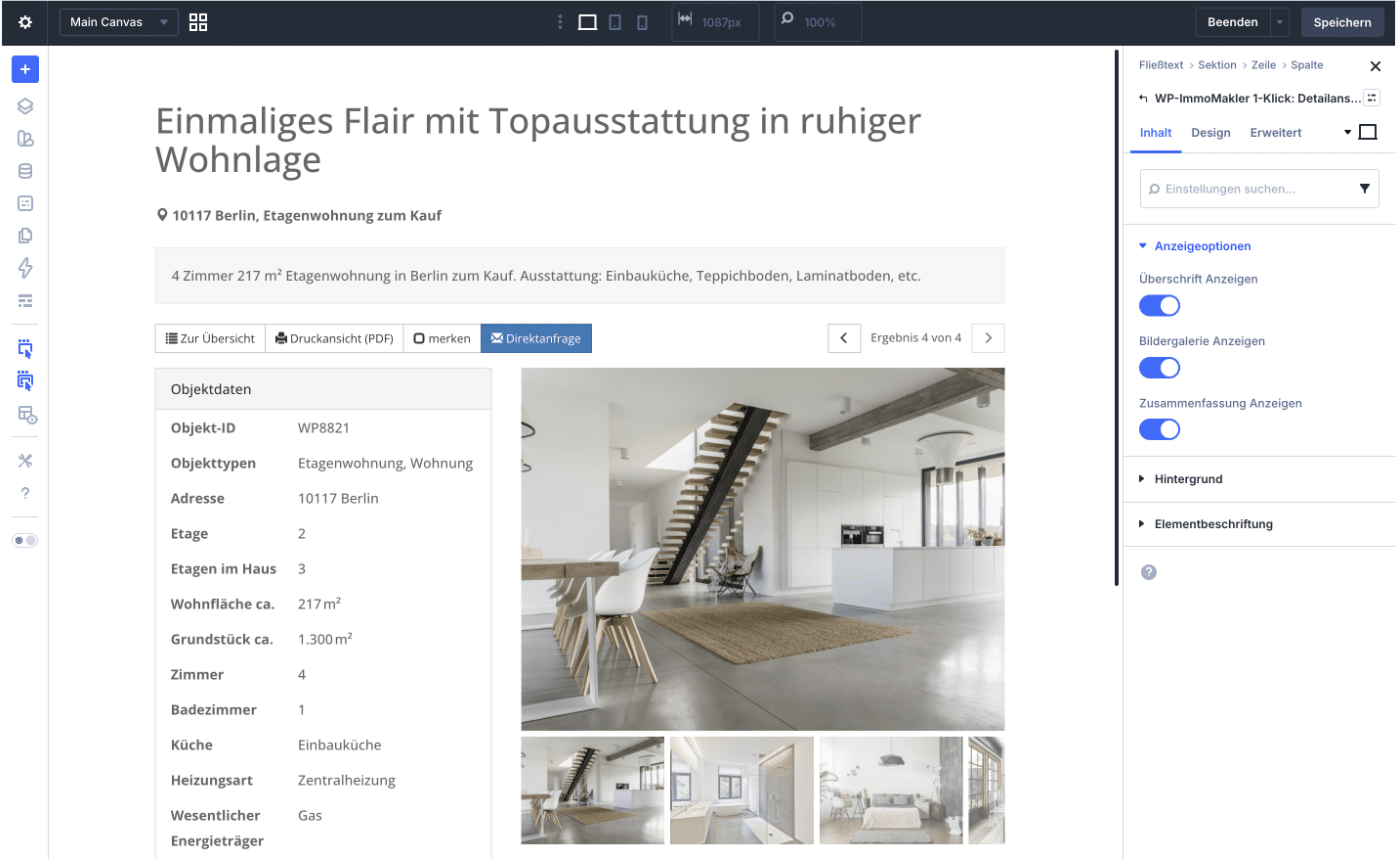
WP-ImmoMakler is now offering its own modules for the Divi 5 Visual Builder. The modules “1-Click: Detail View,” “1-Click: List View,” “Location Map,” “Videos,” and “Image Gallery” appear directly in the module selection, are displayed live in the Visual Builder, and can be customized using the familiar Divi design options.

Existing layouts from Divi 4 are automatically converted to the new modules when edited in Divi 5—including all previous settings. Nothing changes on Divi 4 websites.

WP-ImmoMakler Demo Image Divi 5 – Native Modules for the Visual Builder

Project View – Other Units on the Details Page (PLUS)

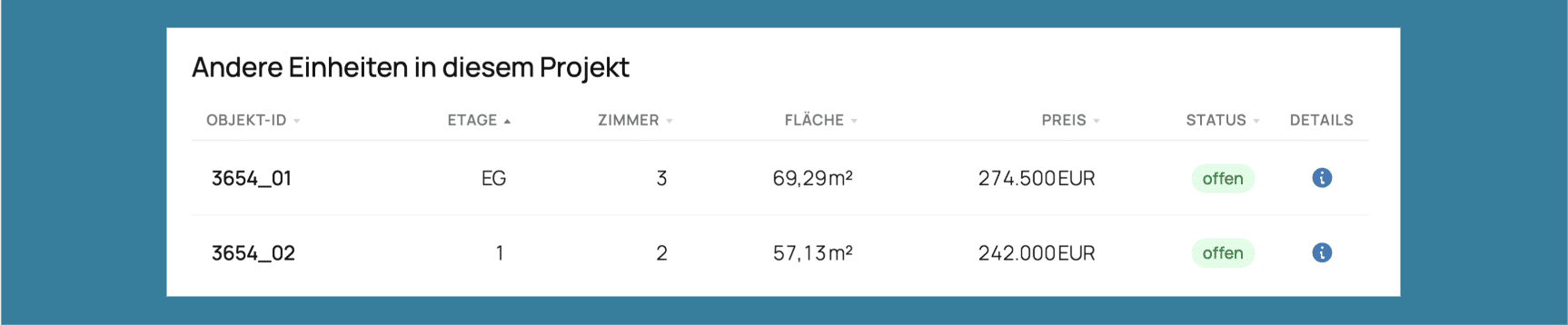
Wenn ein Interessent die Detailseite einer einzelnen Einheit aufruft, sieht er darunter jetzt eine Tabelle mit allen anderen Einheiten desselben Projekts. Darunter erscheint ein Button „Projektseite anzeigen”, der direkt zur übergeordneten Projektseite führt. Die Tabelle lässt sich im Backend unter
WP-ImmoMakler → Einstellungen → Projekte deaktivieren.

WP-ImmoMakler Demo Image Project View Table

An Overview of Additional Improvements

  • Thumbnails and main images that are too small are now displayed to fill the entire frame—even when used in conjunction with image optimization plugins such as Converter for Media, ShortPixel, or EWWW.
  • The missing bottom margin in the brief property description on the details page has been added.
  • The property condition "Needs renovation" is now applied correctly.
  • Neue Customizer-Option: Das Kontaktformular kann bei reservierten Objekten nun gezielt ausgeblendet werden. Die Option ist standardmäßig deaktiviert und lässt sich unter WP-ImmoMakler → Immobilien Detailansicht aktivieren.

Note on the Update

To be able to download the update in your WordPress backend, you need an active support license. This is included in your plugin license for the first twelve months after purchase. After the first twelve months, we offer you our service package so that you can continue to benefit from support and updates.

⚠️ The update must be installed manually. Please remember to have the cancellation button reviewed by legal counsel before going live.

Subscribe to our newsletter

Stay up to date on all improvements and new developments with our newsletter. Subscribe to our newsletter now.