WP-ImmoMakler 5.61 – New Highlights: AI Features for Real Estate Agents (Excerpt in the Detail View), Improved Maps, and More

With version 5.61, we have expanded and refined WP-ImmoMakler in several areas. In this post, we’ll introduce the most important new features: a new highlighted summary in the property details view, revised map options, and a number of other improvements.

AI Features for Real Estate Agents – Excerpt in the Detail View

A short introductory text—the excerpt—will now appear directly below the subtitle on a property's detail page. This allows prospective buyers to see the most important information about the property at a glance, even before they scroll further down.

At the same time, this text is included in your page's structured data (known as JSON-LD data). Search engines like Google can use this to better understand and categorize your content—which can have a positive impact on your visibility in search results.

In addition, you can integrate this feature with an AI voice assistant (ChatGPT, Gemini, Claude). You'll need to integrate it directly into your WordPress site, and then it can automatically generate the excerpt for each post.

You can find this setting in the Customizer under WP-ImmoMakler → Property Detail View, as well as directly within the respective builder element—that is, in Elementor, WPBakery, Divi, Bricks, Oxygen, and Gutenberg.


WP-ImmoMakler Demo Image: AI Features for Real Estate Agents – Set Up an Excerpt in the Detail View
WP-ImmoMakler Demo Image: AI Features for Real Estate Agents – Excerpt in the Detail View Display

Image Gallery – Static Image

For new installations, the hover animation is disabled by default. This gives your photo album a cleaner look (photo album style). Existing settings remain unchanged. The "Smooth Zoom" and "Brighten" options are still available in the Customizer under
WP-ImmoMakler → Image Gallery → Hover Animation.

Customizer – Real-Time Map Preview

The map section has been migrated to the native WordPress Customizer API. Changes to map options such as marker color, zoom level, or cluster radius appear immediately in the preview after a refresh—without having to save.

Maps – Configurable Marker Clustering

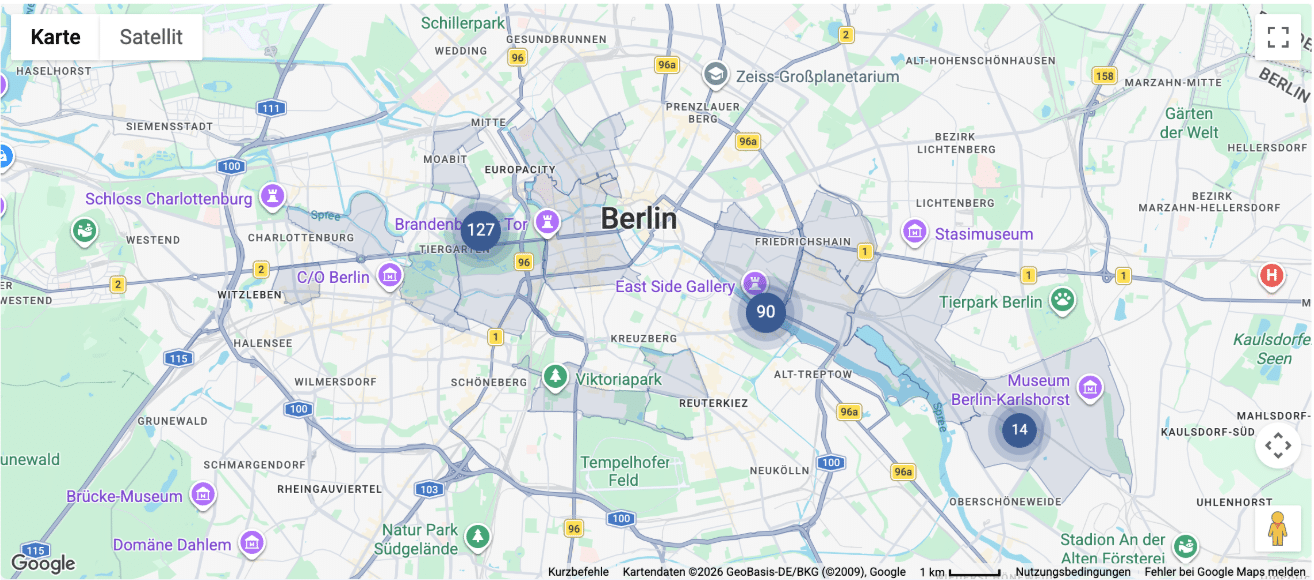
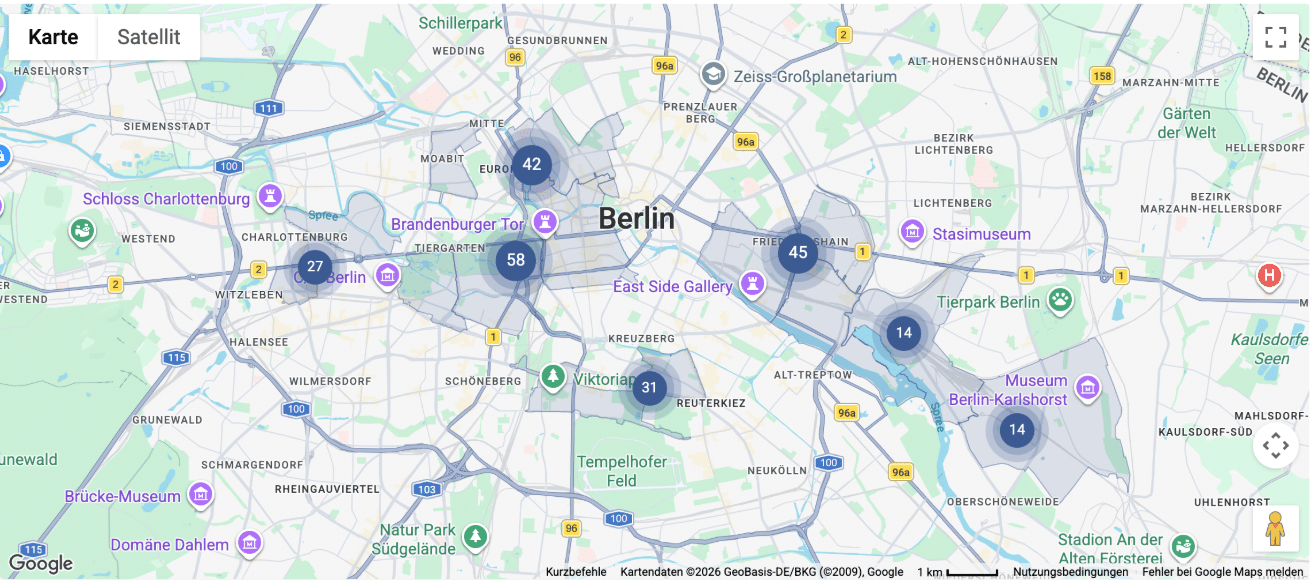
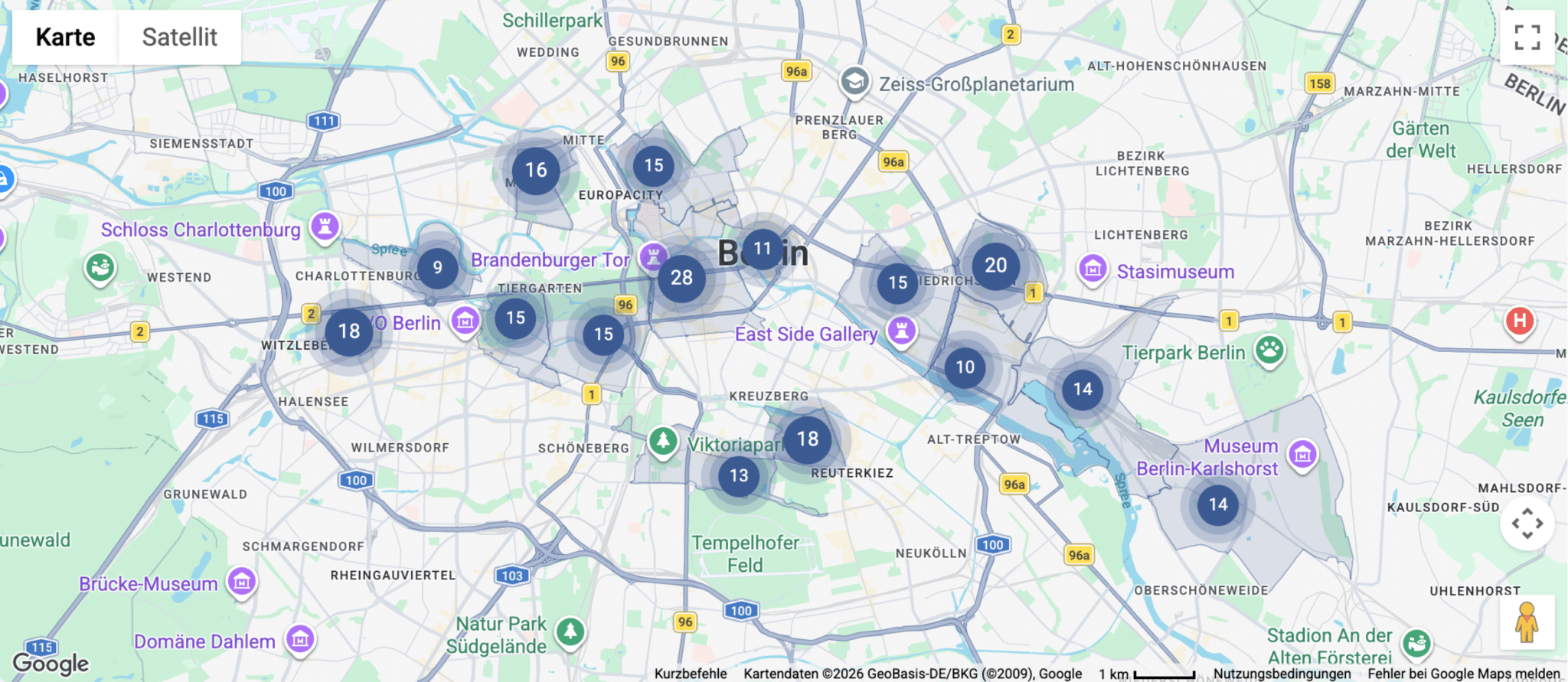
You can now fine-tune the cluster radius using the new "Cluster Radius (px) " option in the Customizer under WP-ImmoMakler → Maps. Higher values group together markers that are farther apart; setting the value to "0" completely disables clustering.

Demo Image: WP-ImmoMakler Maps – Configurable Marker Clustering 400px
Clustering 400px
Demo Image: WP-ImmoMakler Maps – Configurable Marker Clustering 200px
Clustering 200px
Demo Image: WP-ImmoMakler Maps – Configurable Marker Clustering 100px
Clustering 100px

Detailed View – More Design Freedom

All Builder elements now allow you to hide the built-in image gallery or the detail view heading (h1)—so you can, for example, customize the image gallery or the title yourself using the Page Builder.

Projects – Automated Unit Assignment

The Shortcodes [immomakler-archive projekt="…"], [immomakler-flexslider projekt="…"] and [immomakler-carousel projekt="…"] Now automatically sort units across both OpenImmo fields gruppen_kennung and gruppennummer to (OR operator). On project detail pages in the classic archive view, this ensures that the units list also works for exports that use gruppen_kennung the field gruppennummer Fill – no additional configuration required.

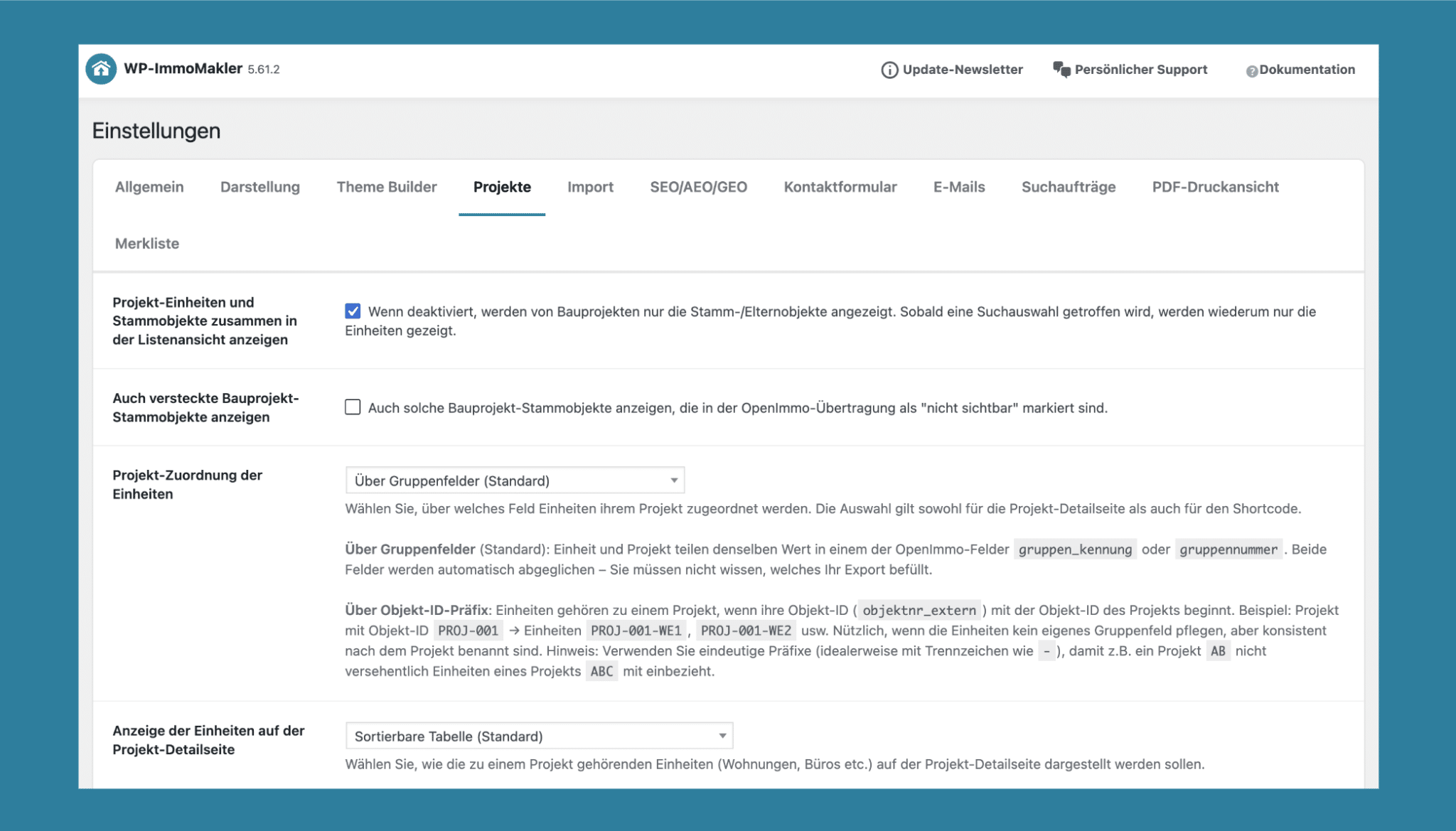
The units table (Plus, shortcode [immomakler-project-units] and the project details page) automatically synchronizes both OpenImmo group fields. The setting WP-ImmoMakler → Settings → Projects → Project Assignment of Units has been reduced to two options: via group fields or via object ID prefix. Existing configurations with gruppennummer are treated transparently as group field variants—no adjustment is necessary.

WP-ImmoMakler Demo Image Projects – Automated Unit Assignment

An Overview of Additional Improvements

  • ImmoScout24 & OpenImmo: Neuer Importer für das veraltete ImmoScout24-CSV-Übertragungsformat
  • Bildausgabe: Verbesserte Ermittlung der tatsächlich kleinsten verfügbaren Bildversion
  • Google Maps: Kartenvorschau kann nun auch für den Ladevorgang genutzt werden, wenn kein Consent-Blocker aktiviert ist
  • Barrierefreiheit: title-Attribut für die iFrames der Virtuellen Rundgänge hinzugefügt
  • Objektdaten: Provisionswert wird nicht mehr zusätzlich angezeigt, wenn er bereits im Provisionstext enthalten ist

Note on the Update

To be able to download the update in your WordPress backend, you need an active support license. This is included in your plugin license for the first twelve months after purchase. After the first twelve months, we offer you our service package so that you can continue to benefit from support and updates.

Subscribe to our newsletter

Keep up to date with all improvements and further developments with our newsletter.