WP-ImmoMakler 5.60 – The Major Update – Part 2


In the second post about our major update to version 5.60.0, we’ll introduce you to the rest of the new features. We’ll show you what’s changed regarding multilingual support, Google Places address autocomplete, the WPForms integration, the contact form, the PDF print preview, and the integrations for Elementor, Webflow, and ImmoScout24.

You can find all the information about the first part of the major update here. The first part includes a completely rewritten gallery, the introduction of AI-powered text generation for SEO content, and expanded builder support for the following theme builders: Bricks, Gutenberg, Elementor, and WPBakery.

wpforms logo dark

WPForms: OpenImmo Feedback for any number of forms:

The OpenImmo Feedback XML attachment can now be enabled for any number of WPForms forms. Field mapping, the XML attachment, and notification settings are configured directly within each form.

Improved Multilingual Support

The plugin has been completely retranslated—English (US and UK are now distinguished), Spanish, and French have been extensively revised. This makes WP-ImmoMakler even better suited for international agencies or multilingual websites.

Detailed view

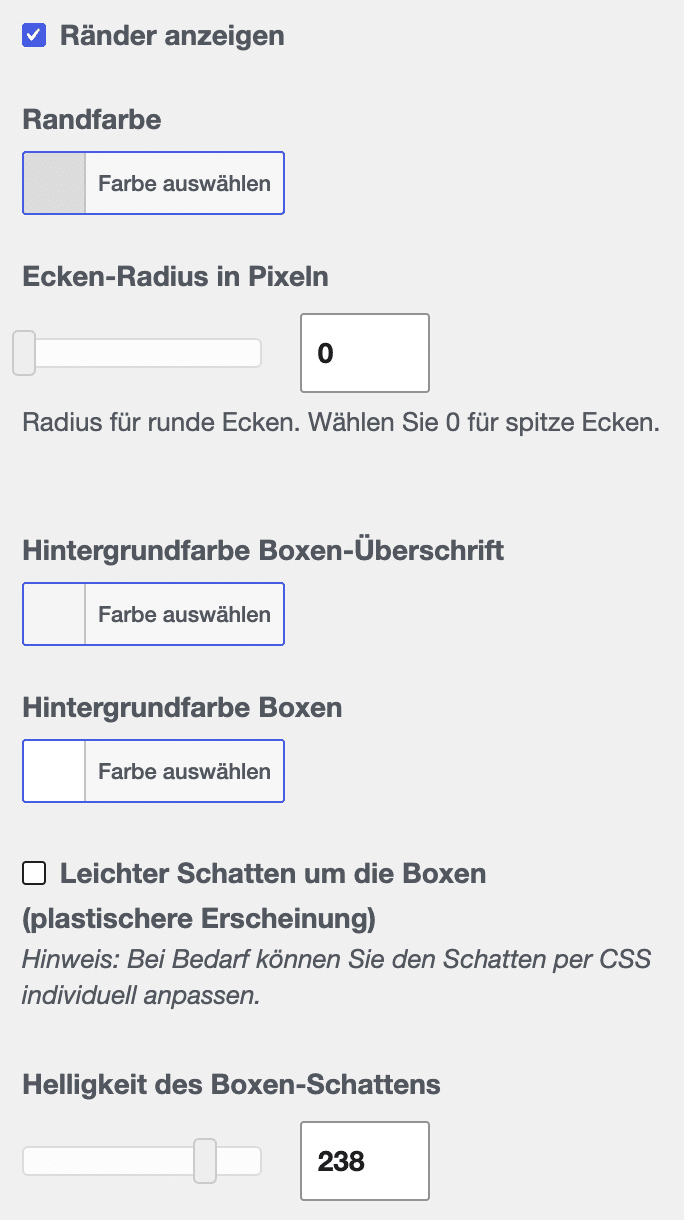
We've expanded the design options for data boxes in the Customizer. You can now customize colors, corner radii, and shadows directly—without any programming knowledge.

You can find these settings under WP-ImmoMakler → Detail View.

Just try out the new options: As long as you don't click "Save," no changes will be applied—so feel free to experiment. For more information on customizing the detail view, see our documentation.

Update 5.60.0, Part 2: Detailed Screenshot

More Flexible Google Places Address Autocomplete

The autocomplete feature for the nearby search is now available as a reusable library. You can use it via data-immomakler-autocomplete-Use the attribute or JavaScript API on any input fields (e.g., in contact forms).

Fully compatible with:

The security token is no longer included in the page source code; instead, it is retrieved as needed via a non-cacheable endpoint.

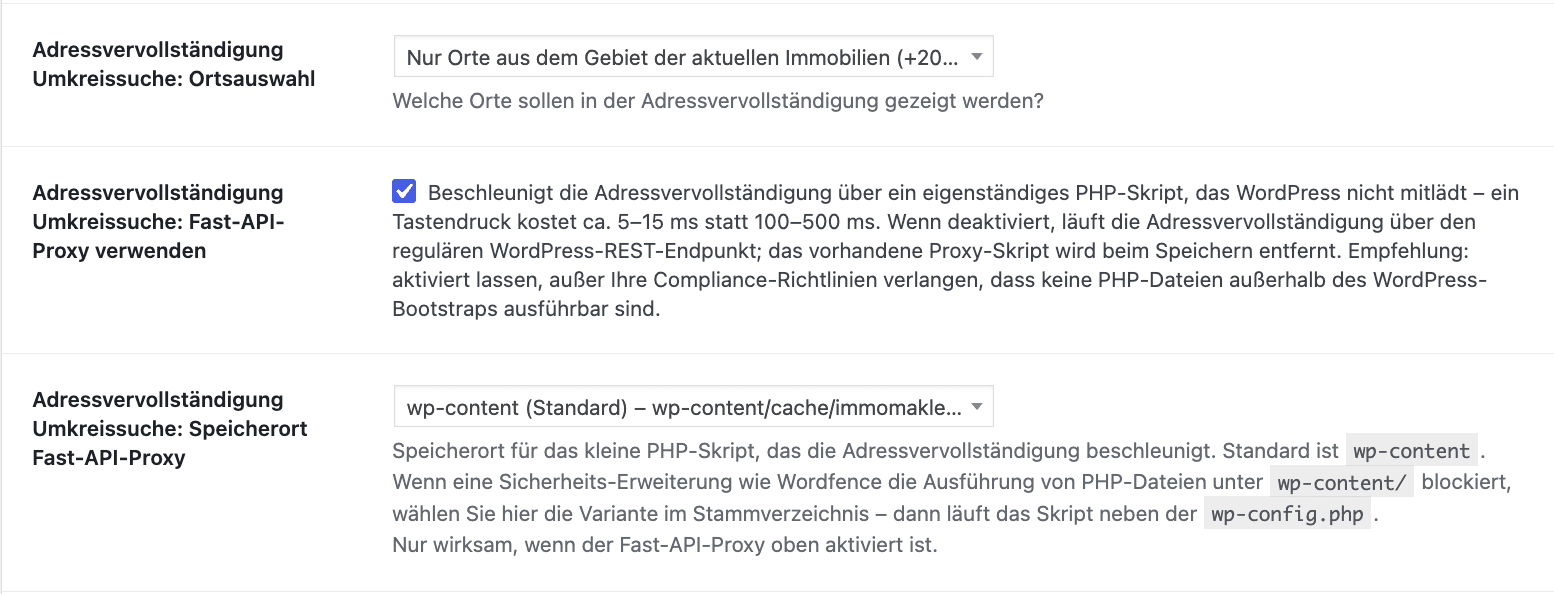
There’s also a new setting for the radius search: New setting “Use Fast API Proxy” – for anyone who wants to run address autocomplete exclusively through the standard WordPress REST endpoint. The standalone proxy can be disabled in the backend. Setting located under: WP-ImmoMakler → Integrations → Google Maps


Contact form

  • The title, first name, and last name are also displayed side by side in the mobile view
  • Inclusion of new European country codes and the U.S.
  • New CSS Class property-contactform for custom styles, regardless of the Theme Builder
  • Separate backend notifications for missing Terms and Conditions or Cancellation Policy documents

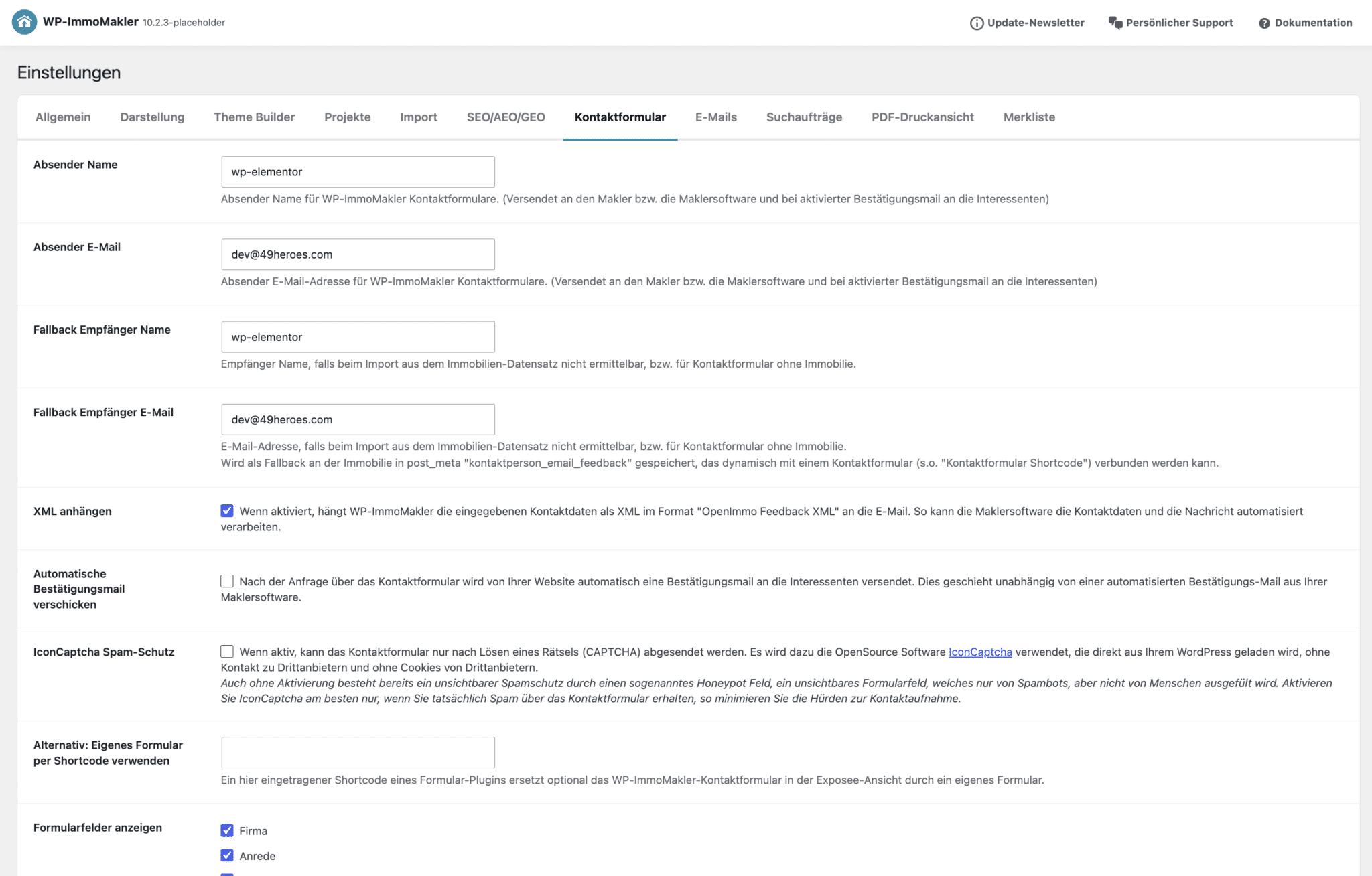
ATTENTION: We have removed the contact form configuration from the Customizer and moved it to the Settings section. You can now find all contact form settings grouped together in your site’s backend under → WP-ImmoMakler → Settings → Contact Form.

PDF print view

We were able to significantly reduce memory usage during PDF generation—images are read directly from the file system, and gallery photos are embedded at 900 × 900 px (floor plans remain in full resolution). This prevents “Allowed memory size exhausted” errors for properties with many photos. As a result, the generated PDFs are smaller and download faster.

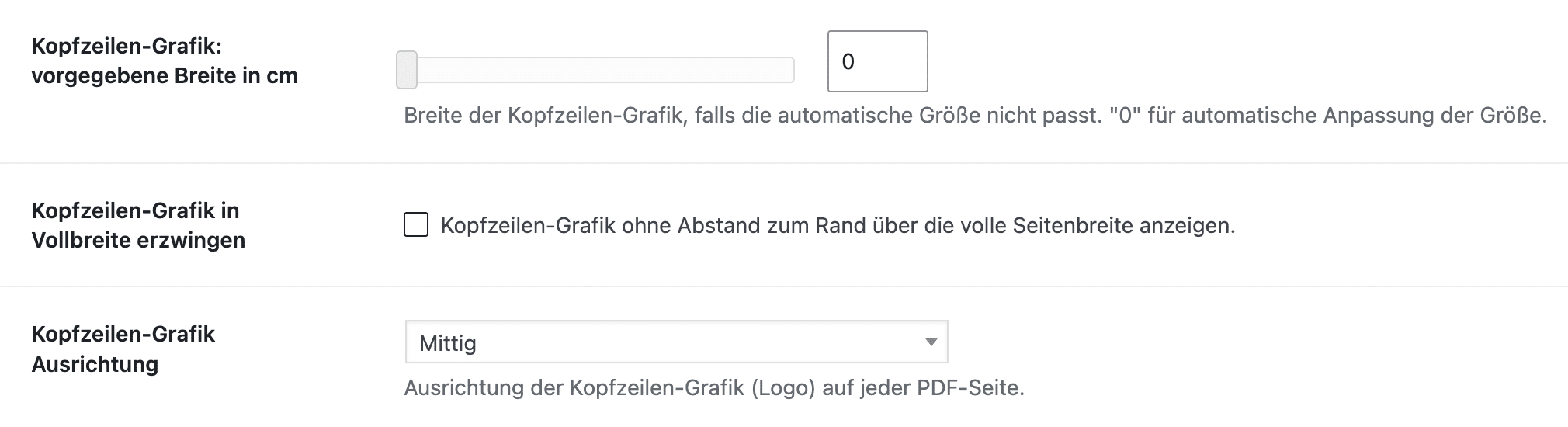
  • A message in the backend when the PDF print preview is active but no logo has been uploaded
  • In the "Header Graphic Alignment" setting, you can align the logo in the PDF header to the left, center, or right

Privacy Policy & Administrative Notes

WP-ImmoMakler now displays a notification in the backend if a privacy policy page has not been added or is not published. WordPress administrators without plugin-specific permissions can now also permanently close these backend notifications.

Webflow

The Webflow integration has been enhanced to include automatic assignment of collection references. The configuration interface now displays Webflow field names and field types, which makes it much easier to identify the correct field keys.

An Overview of Additional Improvements

  • ImmoScout24 & OpenImmo: New Importer for the Outdated ImmoScout24 CSV Transfer Format
  • Image Output: Improved determination of the actual smallest available image version
  • Google Maps: The map preview can now also be used during the loading process if no consent blocker is enabled
  • "Compact" list view: List "8 garage parking spaces" instead of "Garage parking spaces: 8 spaces"
  • Description text: Lists that begin with a long hyphen are now also converted to HTML lists
  • Accessibility: Added the "title" attribute to the iFrames in the virtual tours
  • EDI Real: If import_request@edireal.com is specified as the contact form recipient, the contact person's email address will be used
  • Gestim: Place names translated into multiple languages are displayed only in the respective language
  • Object Data: The commission amount is no longer displayed separately if it is already included in the commission text
  • System Info: New cache size limit (default: unlimited)—if exceeded, the oldest regeneratable cache files are removed every hour; the font cache and Fast API proxy remain unaffected

Shortcodes

[real-estate-archive]

  • The grid layout is now also applied in the shortcode. Parameters grid=off Reactivates the column layout
  • Projects are now displayed using their own list template

[real-estate-agent-template-single]

  • Parameters hide_title It now works correctly

Note on the Update

If you have questions about specific new features or would like to know how to use certain functions on your existing website, we’d be happy to help—please send us an email or schedule a phone consultation right away.

Note: To receive the update, you need an active support license. If you have one, the update will automatically appear in your WordPress dashboard. For more information, see our documentation.
⚠️ Important: You must manually install the update in your WordPress dashboard—it will not be installed automatically.

If your license has expired, you can easily renew it now through our online store or by email.