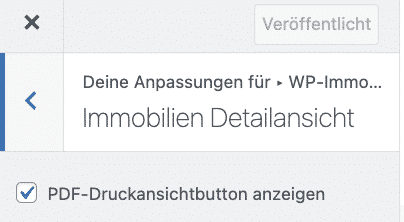
WP-ImmoMakler bietet aber der PLUS-Lizenz automatisch aus den übertragenen Immobiliendaten eine attraktive Druckansicht in PDF-Format, die sich Interessenten runterladen und ausdrucken können. Die Druckansicht ist standardmäßig aktiviert, kann im WP-ImmoMakler Customizer aber deaktiviert werden. Das Standarddesign der Druckansicht können Sie sich in unserer Demo ansehen.
Wenn Sie aktuell die BASIC-Lizenz nutzen, können Sie jederzeit ein Upgrade auf die PLUS-Lizenz buchen. Kontaktieren Sie hierzu gerne unseren Support.
Layout individualisieren – Druckansicht (PDF) in den Einstellungen anpassen
Sie haben die Möglichkeit, in den Einstellungen die Druckansicht unter anderem bezüglich der Farben, Header- und Footer-Bild zu individualisieren.
Anbei finden Sie eine Übersicht der Individualisierungsmöglichkeiten.
Wenn Sie weitere Anpassungen vornehmen möchten, wenden Sie sich gerne an unserem Support. Schicken Sie uns hierzu gerne ihre konkreten Layout- bzw. Designvorstellungen. Dann prüfen wir, ob diese sich unkompliziert umsetzen lassen oder erstellen Ihnen bei Bedarf ein unverbindliches Angebot.
Individualisierungsmöglichkeiten in den Einstellungen
- Farbe Titel-Überschrift
- Farbe Überschriften
- Farbe Text
- Header-Grafik
- besondere Header-Grafik für die erste Seite
- Header-Grafik in Vollbreite anzeigen
- Fußzeilen-Grafik
- besondere Fußzeilen-Grafik für die erste Seite
- QR-Code in Fußzeile anzeigen
- Text Fußzeile linke Spalte, mittig, rechte Spalte
- Fußzeile Randfarbe
- Fußzeile Hintergrundfarbe
- Fußzeile Textfarbe
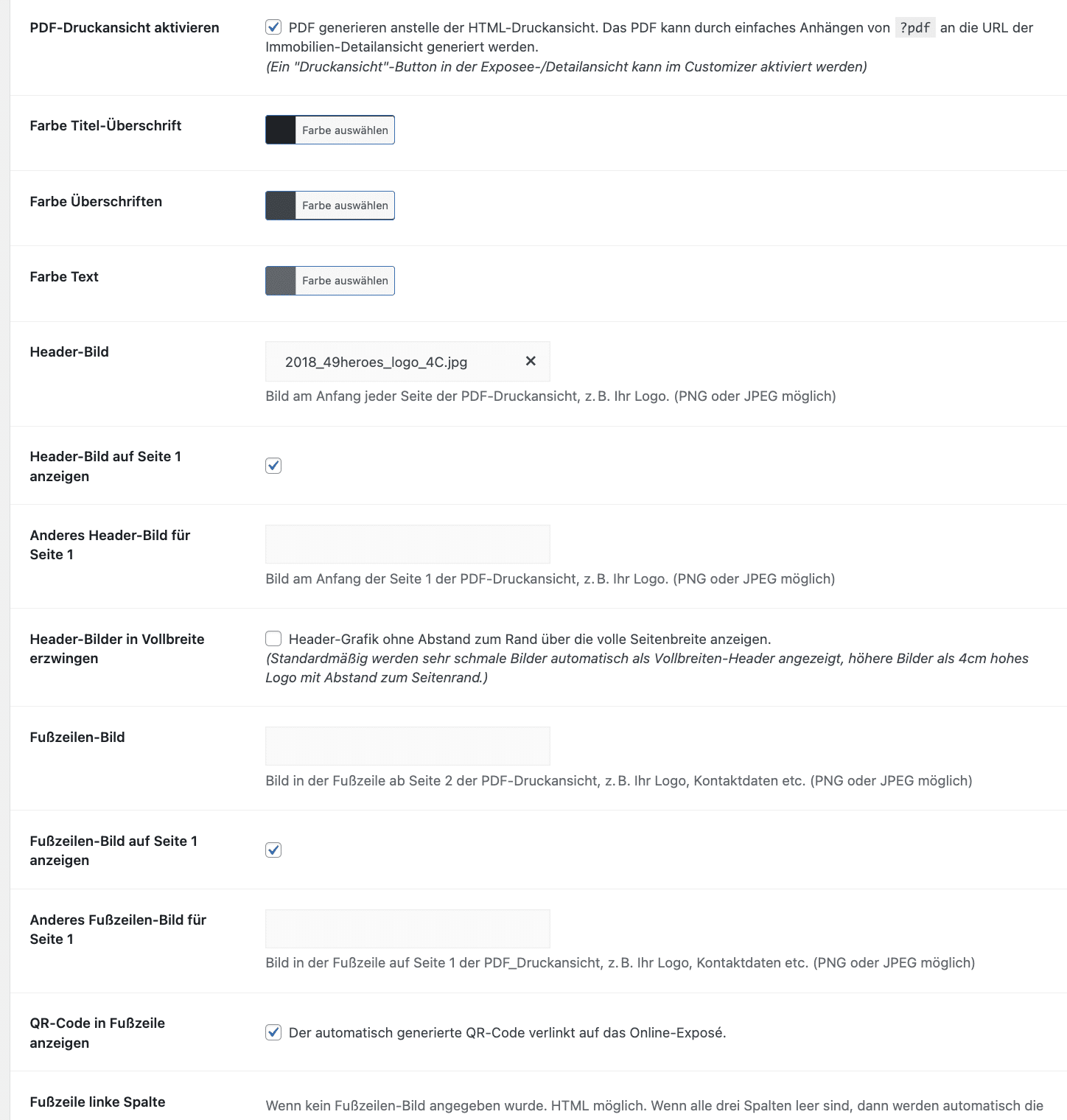
Layout in den Einstellungen anpassen
Wenn Sie das Layout der Druckansicht anpassen möchten, gehen Sie dafür bitte in Ihr WordPress-Backend unter WP-ImmoMakler -> Einstellungen -> PDF-Druckansicht:

Angezeigte Immobiliendaten per Filter anpassen
Wenn Sie die Immobiliendaten, die in der Druckansicht angezeigt werden, anpassen möchten, ist dies per Filter möglich. Wenn die von Ihnen gewünschte Anpassung hier nicht aufgeführt ist, kontaktieren Sie gerne unseren Support.
Titelseite: Objektangaben auf der Titelseite anpassen
Bitte nutzen Sie dafür den folgenden Filter: “immomakler_pdf_quick_details_keys”
add_filter('immomakler_pdf_quick_details_keys', function() {
	$quickdetails = [
		'wohnflaeche',
		'bueroflaeche',
		'ladenflaeche',
		'gesamtflaeche',
		'anzahl_zimmer',
		'kaufpreis',
		'kaltmiete',
		'nettokaltmiete'
	];
	return $quickdetails;
});
Beispiel: Anstatt “Kaltmiete” & “Nettokaltmiete”, soll “Gesamtmiete brutto” angezeigt werden.
Bitte nutzen Sie dafür den folgenden Filter: “immomakler_pdf_quick_details_keys”, benötigter Key: gesamtbelastungbrutto
add_filter('immomakler_pdf_quick_details_keys', function() {
	$quickdetails = [
		'wohnflaeche',
		'bueroflaeche',
		'ladenflaeche',
		'gesamtflaeche',
		'anzahl_zimmer',
		'kaufpreis',
		'gesamtbelastungbrutto',
	];
	return $quickdetails;
});
Druckansicht (PDF) deaktivieren
Wenn Sie die Druckansicht nicht nutzen möchten, haben Sie die Möglichkeit, den Button unter WP-ImmoMakler -> Customizer -> Detailansicht auszublenden.